
Terminal
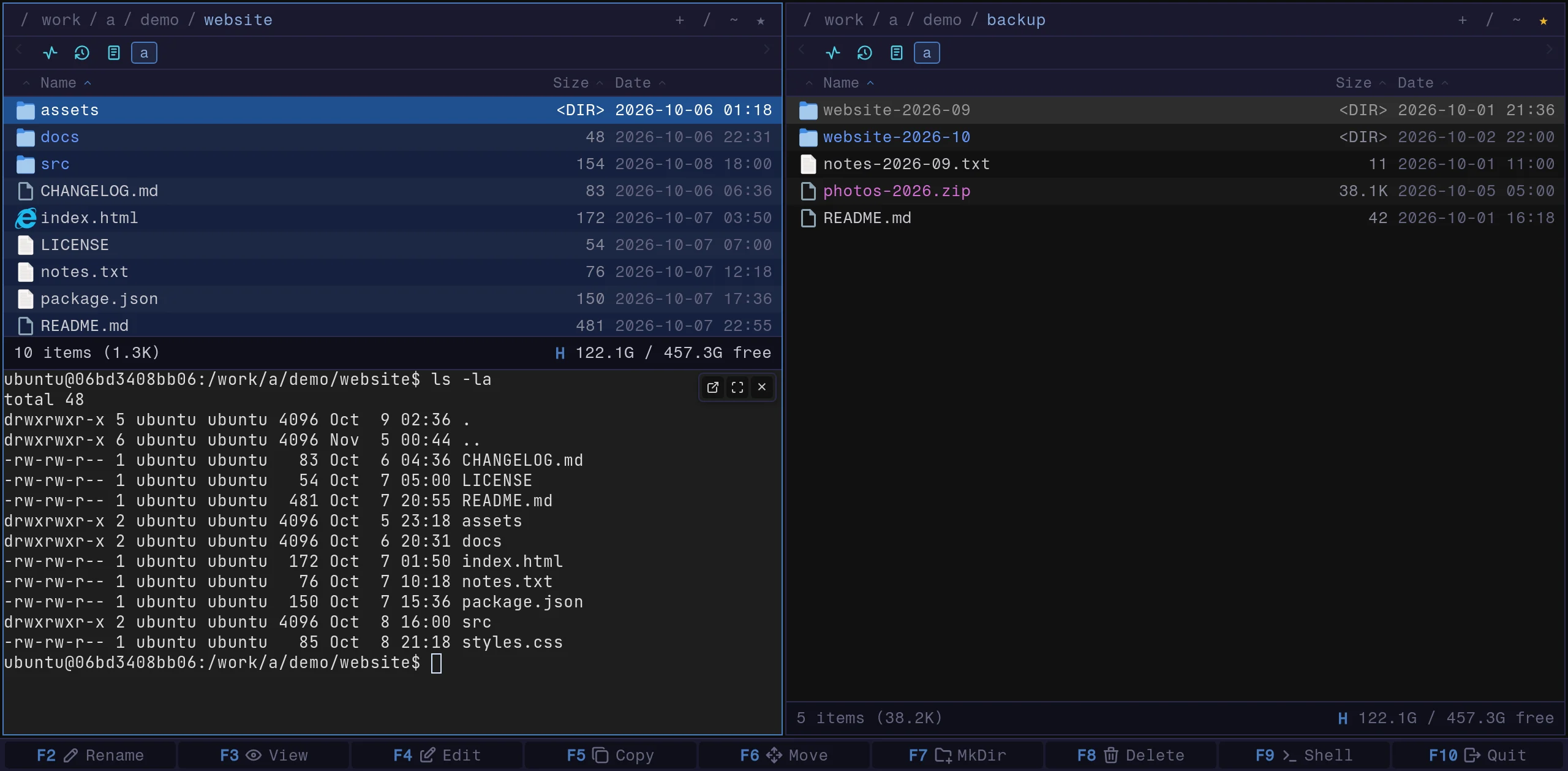
fbro has a terminal built in, and can also open your system’s terminal app.
| Keys | |
|---|---|
| Terminal inside the panel | T |
| Your system terminal, in the current folder | F9 (macOS: 9) |
| Fill the window with the terminal | Ctrl+Shift+M (macOS: Cmd+Shift+M) |
| Move the terminal into its own tab | Ctrl+Shift+T (macOS: Cmd+Shift+T) |
The embedded terminal
Section titled “The embedded terminal”T opens a terminal in the lower half of the active panel, starting in the panel’s folder. The listing stays visible above it.
- While the terminal has focus, it gets your keys, so you can type commands normally.
- Escape moves focus back to the listing; the terminal keeps running. Press T to focus it again.
- To close it, use its Close terminal button or exit the shell.
- Its buttons maximize the terminal, move it into its own tab, or close it. They appear briefly when the terminal opens, and again when you bring the pointer into the terminal’s top-right corner, so they never hide output while you work. The same two actions have shortcuts, so you never need the buttons: Ctrl+Shift+M (macOS: Cmd+Shift+M) fills the window with the terminal and Escape restores it; Ctrl+Shift+T (macOS: Cmd+Shift+T) moves it into a tab of its own.
Because Escape belongs to fbro, press Ctrl+[ to send Escape to a program running in the terminal, such as Vim.
Terminal tabs
Section titled “Terminal tabs”Promote terminal to its own tab (Ctrl+Shift+T (macOS: Cmd+Shift+T)) moves a running terminal into a tab of its own in the same panel, keeping the session and its scrollback. It then behaves like any tab. When the shell exits, its tab closes.
Terminal tabs aren’t restored when fbro restarts.
Which shell
Section titled “Which shell”| Platform | Shell |
|---|---|
| Linux, macOS | Your login shell ($SHELL), or /bin/bash |
| Windows | %COMSPEC%, usually cmd.exe |
On zsh, Use Emacs keys in new zsh terminal sessions in Settings → General (Ctrl+, (macOS: Cmd+,)) turns on Emacs-style line editing.
Your system terminal
Section titled “Your system terminal”F9 (macOS: 9) (Shell on the button bar) opens your system’s terminal app in the current folder. On Linux, fbro looks for common terminals such as GNOME Terminal, Kitty, Alacritty, Tilix, Xfce Terminal and xterm.