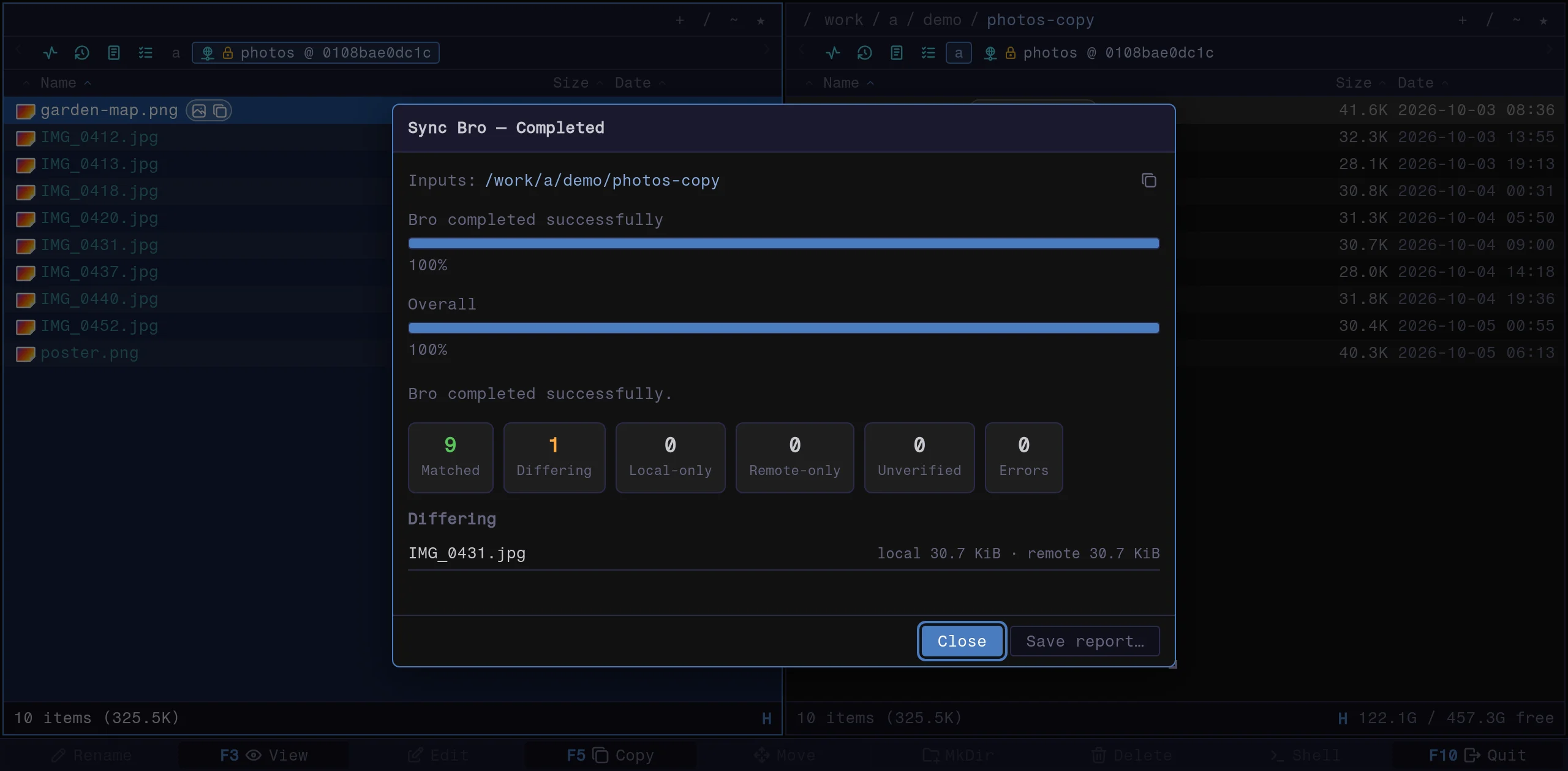
Compare local and remote (Sync Bro)
Sync Bro checks whether a folder here and a folder on a paired fbro hold the same files with the same contents, for example to confirm that a backup or a large transfer landed correctly.
Run a comparison
Section titled “Run a comparison”- Open the local folder in one panel and the remote folder in the other.
- Press F1 (macOS: 1) and choose Sync Bro.
- Choose Launch.
Both machines hash their own files at the same time, using all CPU cores. Only the lists of checksums travel over the network, never the files, so comparing even very large folders is fast.
Read the results
Section titled “Read the results”| Result | Meaning |
|---|---|
| Matched | Same size and checksum on both sides |
| Differing | Present on both sides, but different |
| Local-only | Only in the local folder |
| Remote-only | Only in the remote folder |
| Unverified | Couldn’t be compared because one side failed to read the file |
| Errors | Files that couldn’t be hashed |
Nothing is written to disk unless you choose Save report…, which saves
fbro-sync-report.txt in the local folder.