
Settings
Open Settings with Ctrl+, (macOS: Cmd+,). Changes apply straight away and are saved by fbro itself, so they follow you across restarts and into every window.
General
Section titled “General”| Section | Settings |
|---|---|
| Notifications | Show background OS notifications. See Notifications. |
| Shell command | Install the fbro launcher so you can run fbro . or fbro ~/my_folder from a terminal (Linux and macOS). |
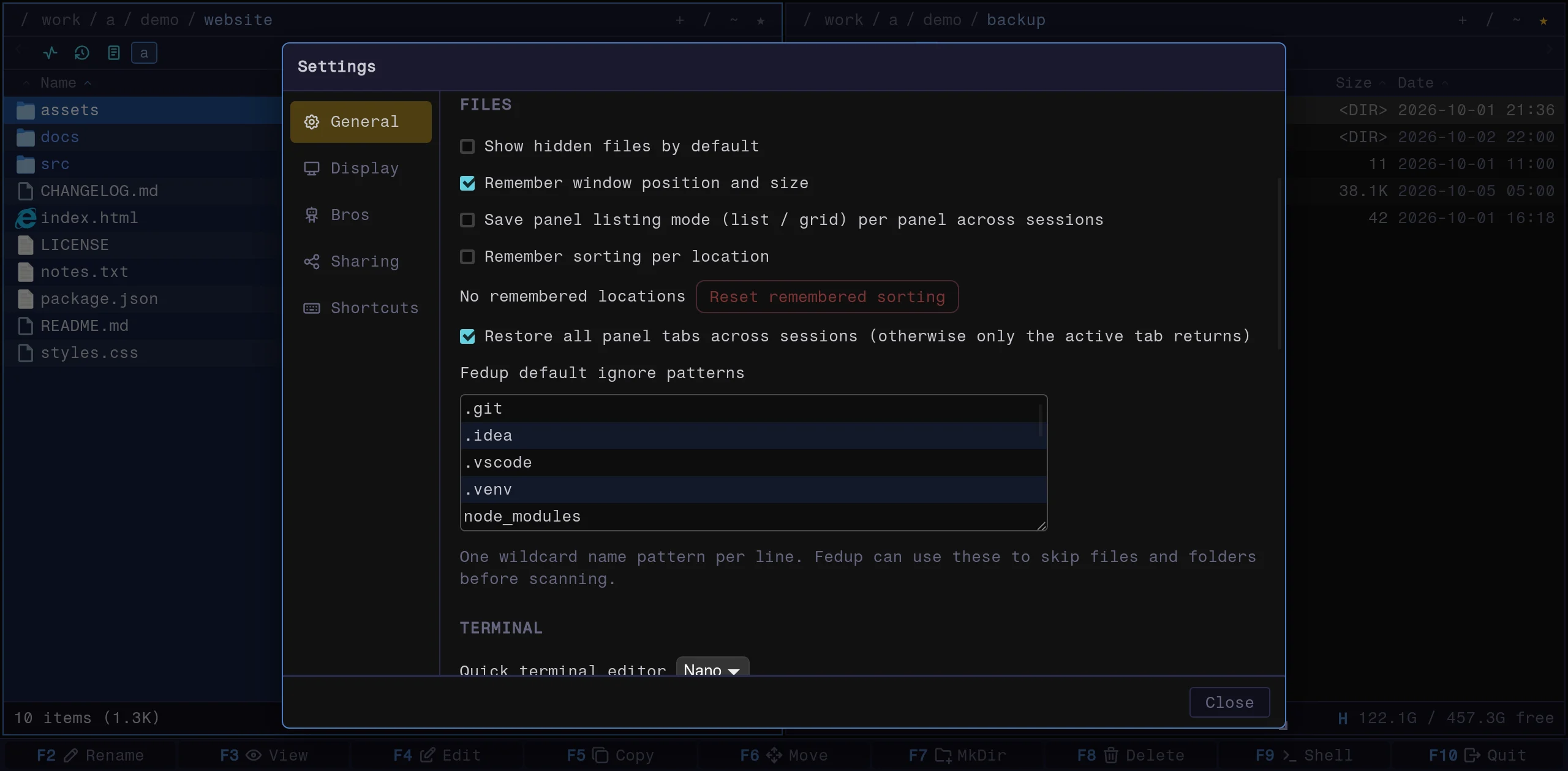
| Files | Show hidden files by default, Remember window position and size, Save panel listing mode (list / grid) per panel across sessions, Remember sorting per location, Restore all panel tabs across sessions, Fedup default ignore patterns |
| Terminal | Quick terminal editor (Nano or Vim), Use Emacs keys in new zsh terminal sessions |
| Process panel | Process tree view (navigate into a process to see its children) |
| File Operations | Preserve file timestamps and permissions when copying, Auto-retry interrupted copies, 7-Zip extractor |
| Notes | Notes folder for scratch notes |
| Data files | Where fbro keeps its session and bookmarks |
| Viewer | Preview HEIC/HEIF images with HEIC2ANY, Ludicrous mode (load very large images in the viewer), Max image size (MiB): |
Display
Section titled “Display”| Section | Settings |
|---|---|
| Color Scheme | Scheme, Match system appearance, and Customize…. See Color schemes. |
| Button bar | Show bottom button bar |
| Editor | Wrap long lines, Show line numbers, Show whitespace for editor tabs |
| Compare | Maximum text file size (MiB):, Differ, External differ executable:. See Compare. |
| Thumbnails | Stream thumbnails to paired fbro clients; on Linux also video thumbnails, size limits and the thumbnail cache. See Views. |
| File icons | On macOS, file type icons are cached on disk for faster launches. |
Lists the Available bros that fbro found on this machine. See What is a bro?.
Sharing
Section titled “Sharing”Remote access, pairing and shared folders. See Pairing two machines.
Shortcuts
Section titled “Shortcuts”Every command with its key bindings, which you can change. See Change a shortcut.
On macOS, Button bar keys chooses whether View, Edit, Copy and the other button bar commands use the number keys 1–0 or the function keys F1–F10. Shortcuts you customized keep their keys either way.
Where settings are stored
Section titled “Where settings are stored”Settings live in fbro’s
data folder, mainly
in settings.json. Quit fbro before editing or copying files there by hand.