Color schemes
Choose a scheme
Section titled “Choose a scheme”Open Settings → Display (Ctrl+, (macOS: Cmd+,)) and pick one under Color Scheme → Scheme. fbro comes with:
- fbro Dark and fbro Light;
- bundled schemes: Matrix, Magenta, Windows XP, IntelliJ Dark and Light, CDE Motif, and Solarized Dark and Light.
The scheme lists mark these (built-in) and the schemes you made yourself (custom). Built-in schemes can’t be edited; duplicate one to make your own.
The scheme applies to every fbro window, including the viewer, the diff window, the terminal and the syntax colors in editor tabs. Each scheme brings its own code colors, under Code in the scheme editor.
Follow the system
Section titled “Follow the system”Turn on Match system appearance to switch between fbro Dark and fbro Light whenever your system changes between dark and light mode. While it’s on, the Scheme list is disabled. If fbro can’t detect your system’s setting, it says so and keeps using the scheme you picked.
Create your own
Section titled “Create your own”- In Settings → Display, choose Customize…. This opens the Color Scheme tab.
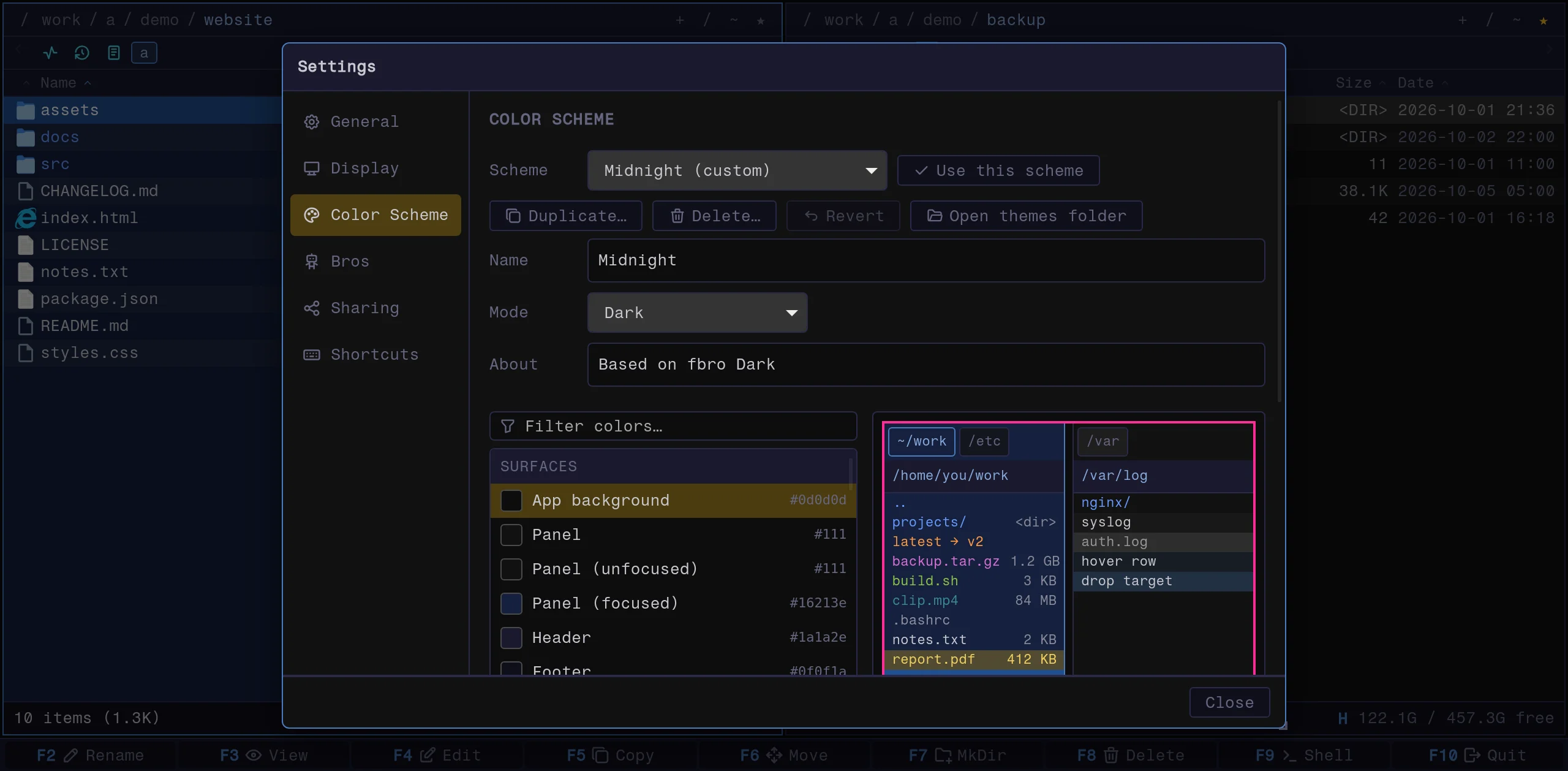
- Choose a scheme to start from and choose Duplicate…. Give the copy a Name. The built-in and bundled schemes can’t be edited directly, so every custom scheme starts as a copy.
- Edit the colors. Filter colors… finds a color by name, and the preview shows the result as you go. Set Mode to Dark or Light so native controls and diagrams match.
- Choose Use this scheme to switch to it.
Changes save automatically. Revert undoes unsaved edits, and Delete… removes a custom scheme.
Scheme files
Section titled “Scheme files”Each custom scheme is a TOML file in the themes folder of fbro’s
data folder, for
example ~/.config/fbro/themes/midnight.toml. Open themes folder opens it in
the active panel.
fbro watches this folder:
- copy a
.tomlfile in to import a scheme someone shared with you; - edit a file in your text editor and open windows restyle immediately.
A file with a mistake shows under Could not load: with the reason, and is left untouched.
version = 1name = "Midnight"description = "Based on fbro Dark"mode = "dark"          # dark or lightbase = "fbro-dark"     # fills in any color not listed below
[colors]               # color names, without the leading "--"bg = "#0d0d0d"bg-selected = "rgba(220, 170, 20, 0.30)"
[terminal]background = "#1e1e1e"foreground = "#dddddd"
Colors can be #rgb, #rrggbb (with optional alpha), rgb() or rgba().