
What is a bro?
A bro (short for “browser processor”) is a tool you hand files to. Some are
built into fbro, such as zip, hashing and the duplicate finder. Others are
programs fbro found on your system, such as tar, mpv or VLC.
Pass files to a bro
Section titled “Pass files to a bro”- Select the files or folders, or put the cursor on one.
- Press F1 (macOS: 1), or choose Pass to Bro… in the context menu or the inline choices.
- Pass To Bro… lists the bros that can handle your selection, with the best fits first and a short reason for each.
- Choose one with Up and Down and press Enter. If it has options, such as an output path or a password, fill them in and choose Launch.
Escape closes the list. From the context menu, a bro acts only on the item you clicked, not on the whole selection.
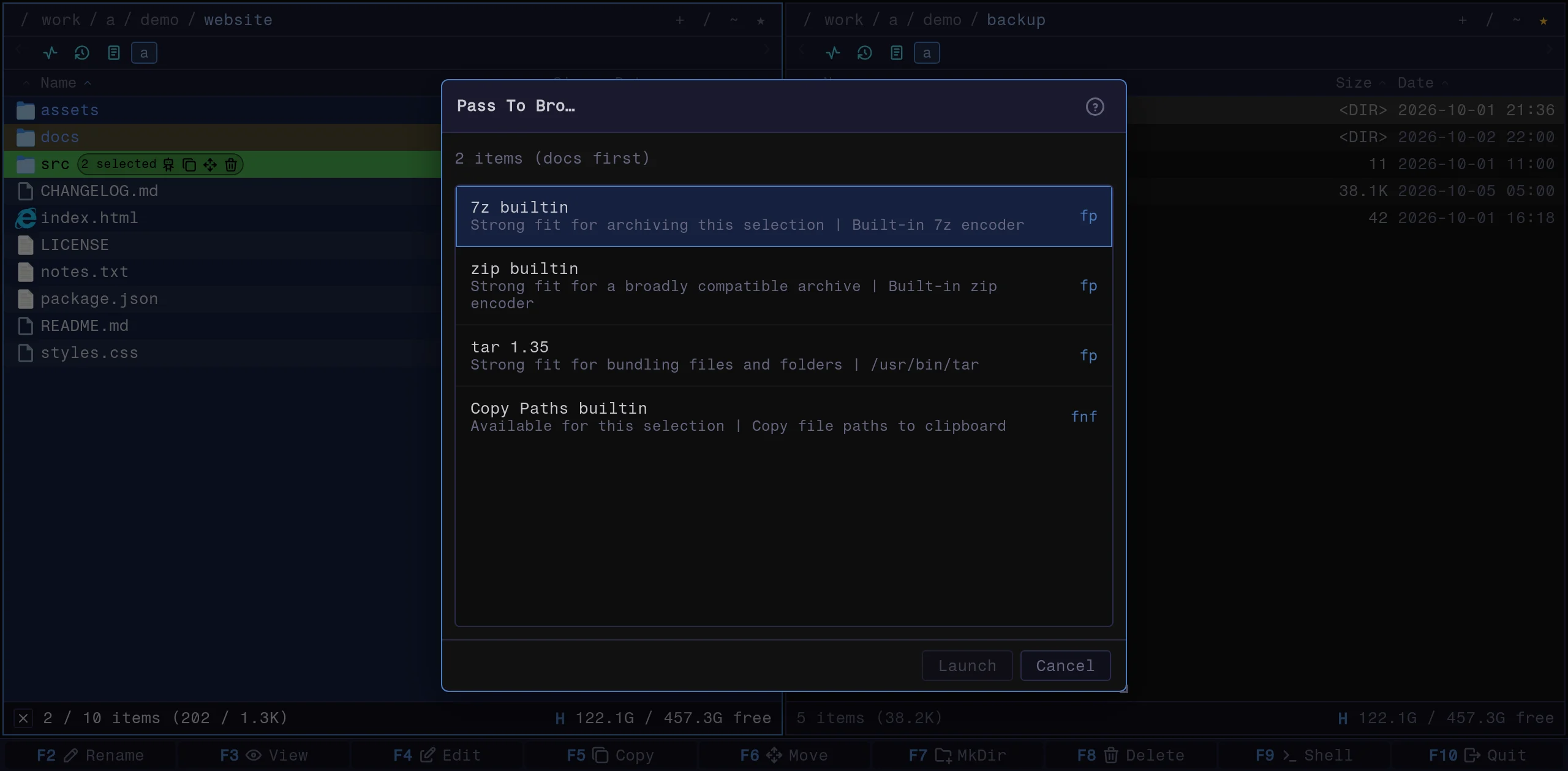
What runs where
Section titled “What runs where”- Bros that produce something, such as an archive, hashes or a report, run as jobs. You see their progress and can send them to the background; their results stay available in Jobs.
- Bros that open another program, such as a media player, just start it and return you to fbro.
Built-in and discovered bros
Section titled “Built-in and discovered bros”| Bro | What it does | Page |
|---|---|---|
| zip, 7z, tar | Pack the selection into an archive | Archives |
| unzip, un7z, untar | Extract an archive | Archives |
| Generate hashes, Check hashes | Create and verify BLAKE3, SHA and MD5 checksums | Hashes |
| Fedup Bro | Find duplicate files | Duplicates |
| mpv, VLC | Play media files as a playlist | More bros |
| Copy Paths | Copy the selected paths as text | More bros |
| Kill (SIGKILL) | End a process | More bros |
| Sync Bro | Compare a local and a remote folder | Remote fbro |
To see every bro fbro found on this machine, open Settings → Bros (Ctrl+, (macOS: Cmd+,)), which lists the Available bros.