
Inline choices
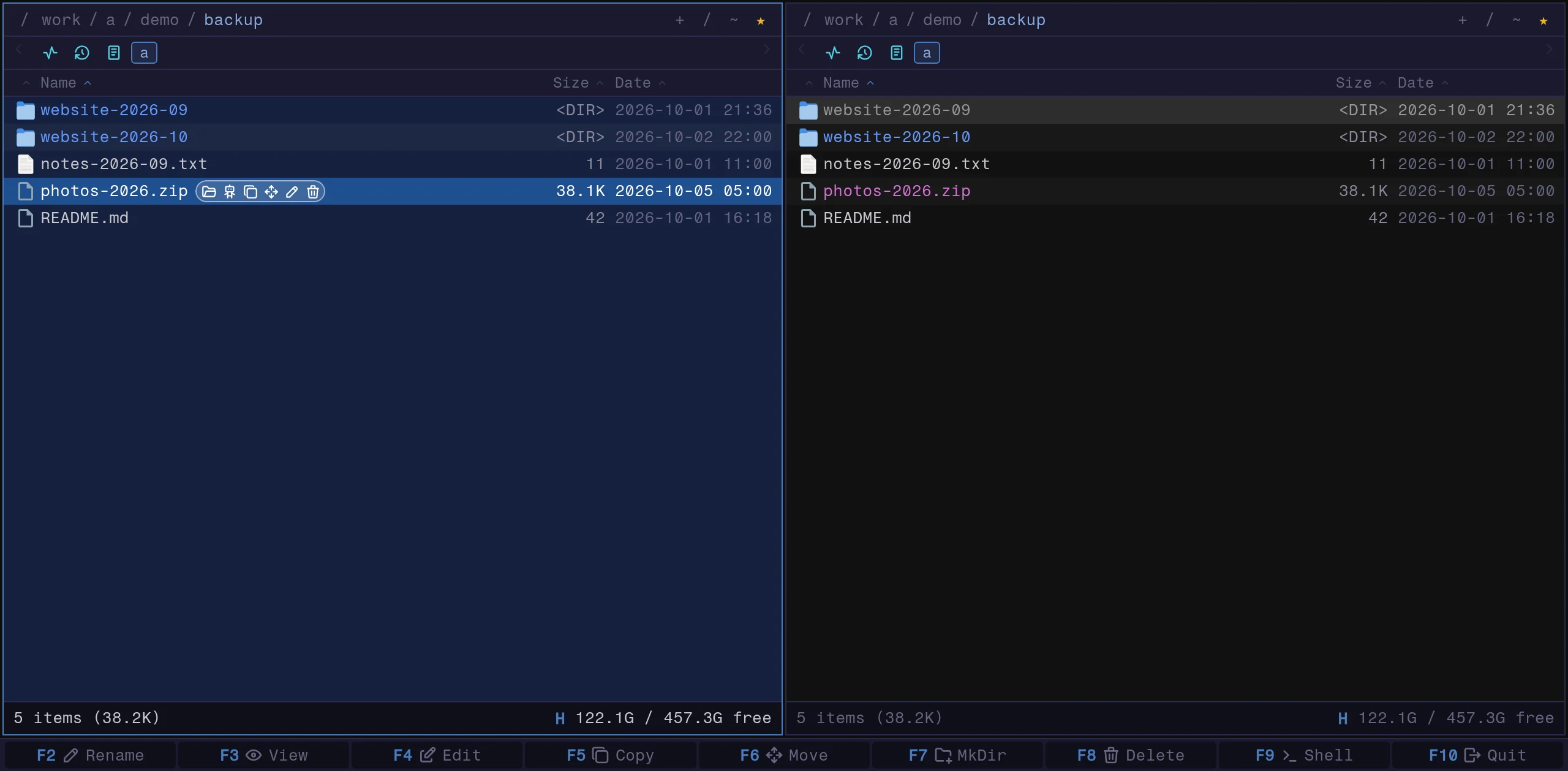
In list view, the cursor row shows a small toolbar of icons on the right: the inline choices for that item. They give you one-key access to the actions that make sense right there, without opening a menu or changing the selection.
Use them from the keyboard
Section titled “Use them from the keyboard”- Put the cursor on a file.
- Press Right to move into the toolbar. The cursor stays where it is.
- Use Left and Right to choose an action, and Enter or Space to run it.
Escape, Up or Down, or Left on the first choice, returns to the listing. After an action finishes, focus goes back to the row you started from.
A single folder has no toolbar, because Right opens it. When the cursor is on a selection of several items, the toolbar acts on all of them and shows how many are selected.
What’s offered
Section titled “What’s offered”Only actions that apply are shown. Edit is the first icon. On a changed file in a git repository the git actions come first, and Edit follows them. Otherwise the order is:
| Choice | When |
|---|---|
| Edit | A single text file on a local disk that fbro opens in an editor tab. That includes source and config files, checksum files (.b3, .sha256, SHA256SUMS, …), SSH keys (id_ed25519, .pub, .pem, authorized_keys, known_hosts, …) and dotfiles such as .gitignore. The pencil is Edit; Rename has its own icon. |
| Browse archive | The item is a zip or 7z archive. |
| Jump to location | A search result: opens the folder that contains it, with the cursor on it. |
| View Git diff, Stage / Unstage, Rollback | A single changed file in a git repository. These lead the toolbar on that row. Rollback asks you to confirm in place. |
| Preview | An image: hover or focus shows a thumbnail, and running it opens the viewer. |
| Compare | Two selected files, or a selected file and the cursor file. See Compare. |
| Pass to Bro | The item or selection can be handed to a bro. |
| Copy, Move, Delete | The source allows it. These open the usual dialogs. |
| Rename | A single item on a local disk. |
More actions, such as Open With… and Set Permissions…, are in the context menu (C).