
Hashes
fbro can write a checksum next to each file and later check that the file still
matches it, for example after copying to a backup disk. By default the checksum
is BLAKE3: the one for photo.jpg is stored in photo.jpg.b3. You can pick
SHA-256 and the other supported algorithms instead, and
Check hashes also accepts the MD5 and SHA checksum files that downloads
often come with, such as archive.zip.sha256. Checksum files are text, so the
inline Edit choice opens them in an
editor tab.
Both bros work on the files in the current folder of a local disk. They don’t go into subfolders.
Generate hashes
Section titled “Generate hashes”- Select the files, or put the cursor on a single file.
- Press F1 (macOS: 1) and choose Generate hashes.
- Pick an Algorithm with the arrow keys. BLAKE3 is selected each time; SHA-256 is the common choice for sharing with other people. MD5 and SHA-1 are only there for tools that need them; they no longer protect against deliberate tampering.
- Turn on Overwrite existing to replace checksum files of that algorithm that already exist; otherwise those files are skipped. Choose Launch, or press Enter.
Each file gets a sibling named after the algorithm, such as photo.jpg.sha256.
The results list each file as created, replaced, skipped or failed. Folders,
links and checksum files in the selection are ignored. Close (or
Enter / Escape) hides the results while the job carries on.
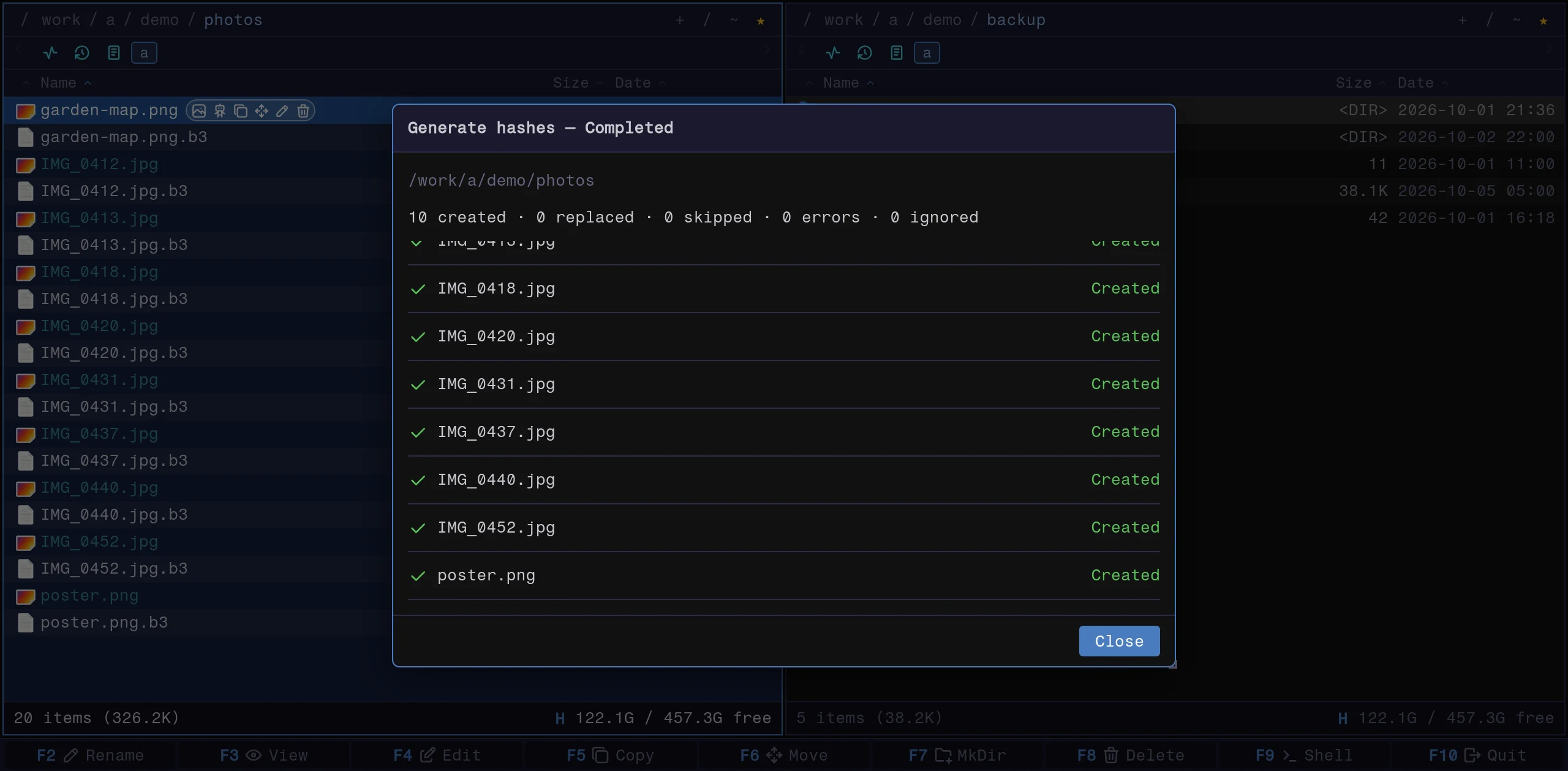
Check hashes
Section titled “Check hashes”- Select the checksum files. Selecting a whole folder’s contents with Ctrl+A (macOS: Cmd+A) is fine: only checksum files with a matching file next to them are checked.
- Press F1 (macOS: 1). Check hashes is offered first whenever the selection contains a checksum file.
- Turn on Save result to write a report, then choose Launch.
Each pair is shown as matched, mismatched or failed, with its algorithm and a summary at the end. A mismatch doesn’t stop the check.
With Save result, fbro writes fbro-hash-check-<time>.txt in the folder,
with the counts, paths, checksums and any errors.
Checksum files
Section titled “Checksum files”The checksum file’s extension decides the algorithm, in upper or lower case.
archive.zip.sha256 checks archive.zip with SHA-256, and one selection can
mix algorithms.
| Extension | Algorithm |
|---|---|
.b3, .blake3 |
BLAKE3 |
.md5, .md5sum |
MD5 |
.sha1, .sha1sum |
SHA-1 |
.sha224, .sha224sum |
SHA-224 |
.sha256, .sha256sum |
SHA-256 |
.sha384, .sha384sum |
SHA-384 |
.sha512, .sha512sum |
SHA-512 |
A checksum file holds a single checksum, written in any of these layouts:
- only the hex digits;
<hex digits> <file name>, as written byb3sum,md5sum,sha256sumand friends (<hex digits> *<file name>too);SHA256 (<file name>) = <hex digits>, as written bysha256sum --tag,shasum --tagor the macOSmd5command. The tag must match the extension.
The file name, when present, must be exactly the name of the file next to it.
A wrong number of digits, a tag for another algorithm or a different file name
is reported as an error rather than guessed around. Lists that cover several
files, such as SHA256SUMS, are not checked.
Generate hashes writes the <hex digits> <file name> layout, so you can
verify fbro’s checksums with b3sum -c, sha256sum -c and similar tools, and
the other way round.