
Views
List and grid view
Section titled “List and grid view”G switches the active panel between:
- List view, with name, size and date columns. Click a column header to sort.
- Grid view, with a thumbnail card per item: images and videos show a preview, other files show their icon.
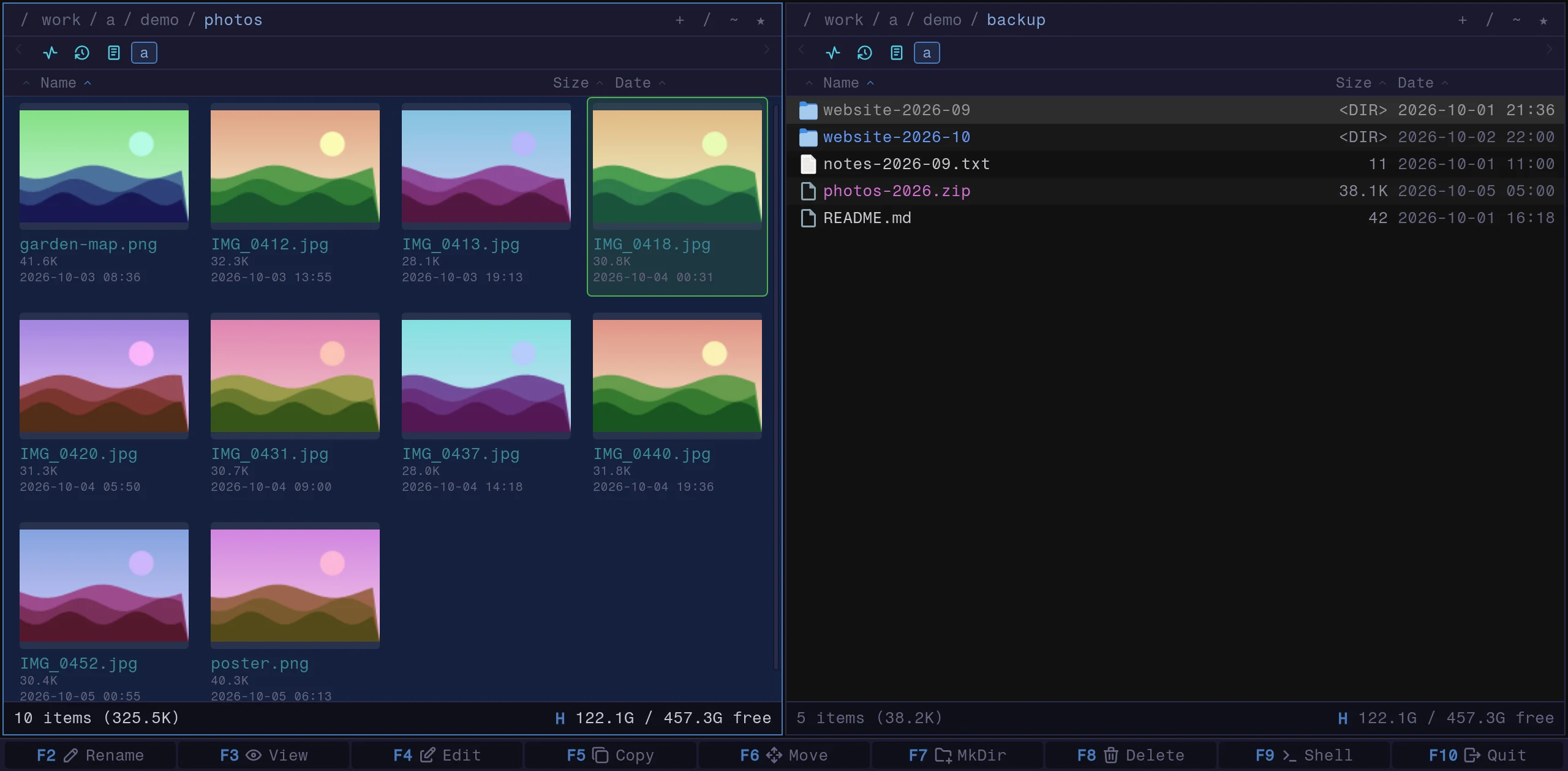
In grid view the arrow keys move in two dimensions, and Shift+Left / Shift+Right extend the selection sideways.
Grid view needs real files to make thumbnails, so it isn’t available inside archives, search results or virtual sources such as Processes.
To keep each panel’s view mode across restarts, turn on Save panel listing mode (list / grid) per panel across sessions in Settings → General (Ctrl+, (macOS: Cmd+,)).
Thumbnails
Section titled “Thumbnails”fbro makes thumbnails for what’s on screen first, so scrolling stays quick in folders full of photos.
| Platform | Thumbnails come from |
|---|---|
| Linux | fbro itself, for common image formats and, if enabled, video (mp4, mkv, webm, mov, avi, m4v) |
| macOS | Quick Look |
| Windows | the Windows shell |
On Linux, Settings → Display has the thumbnail options: video thumbnails,
size limits and a button to clear the thumbnail cache. The cache lives in
~/.cache/fbro/thumbnails (or $XDG_CACHE_HOME/fbro/thumbnails).
Very large folders
Section titled “Very large folders”Folders with thousands of entries open as quickly as small ones. fbro only sends the rows you can see to the window and fetches the rest as you scroll. Selection, select by pattern and operations still cover the whole folder, not just the visible part.
| Action | Linux / Windows | macOS |
|---|---|---|
| Zoom in | Ctrl++ | Cmd++ |
| Zoom out | Ctrl+- | Cmd+- |
| Reset | Ctrl+0 | Cmd+0 |
Zoom changes the text size of the whole window.
The button bar
Section titled “The button bar”The bar at the bottom shows the main file operations with their keys. To hide it, run Toggle Button Bar from the command palette, or turn off Show bottom button bar in Settings → Display.
Color scheme
Section titled “Color scheme”Pick a color scheme, or follow your system’s light or dark mode, in Settings → Display → Color Scheme. See Color schemes, which also covers creating your own.