
Duplicates (Fedup)
Fedup Bro finds files with identical content, wherever they are and whatever they’re called. It compares a full BLAKE3 hash of every candidate, so two files are only reported as duplicates when their contents are byte-for-byte the same.
Fedup works on a global selection, so you can point it at several folders at once.
Find duplicates
Section titled “Find duplicates”- Add the folders (or files) to scan to a global selection: select them, open the context menu (C) and choose To global selection.
- Open Global Selections in the source bar and put the cursor on your selection.
- Press F1 (macOS: 1) and choose Fedup Bro.
- Optionally narrow the scan:
- Include only, for example
*.mp4, *.mkv, to compare only those files; - Exclude, for example
.git, node_modules, *.tmp, to skip matching files and folders.
- Include only, for example
- Choose Launch.
Empty files are ignored, and files that can’t be read are listed as errors without stopping the scan.
Fedup also skips a list of default patterns, such as .git, node_modules,
.venv, __MACOSX and ._*. Change that list in Settings → General → Fedup
default ignore patterns (Ctrl+, (macOS: Cmd+,)).
Read the results
Section titled “Read the results”The results show the number of duplicate Groups, Duplicate files, the Reclaimable space, the files Scanned and any Errors. Each group lists one keeper, the oldest file, followed by its duplicates. Each path has a copy button.
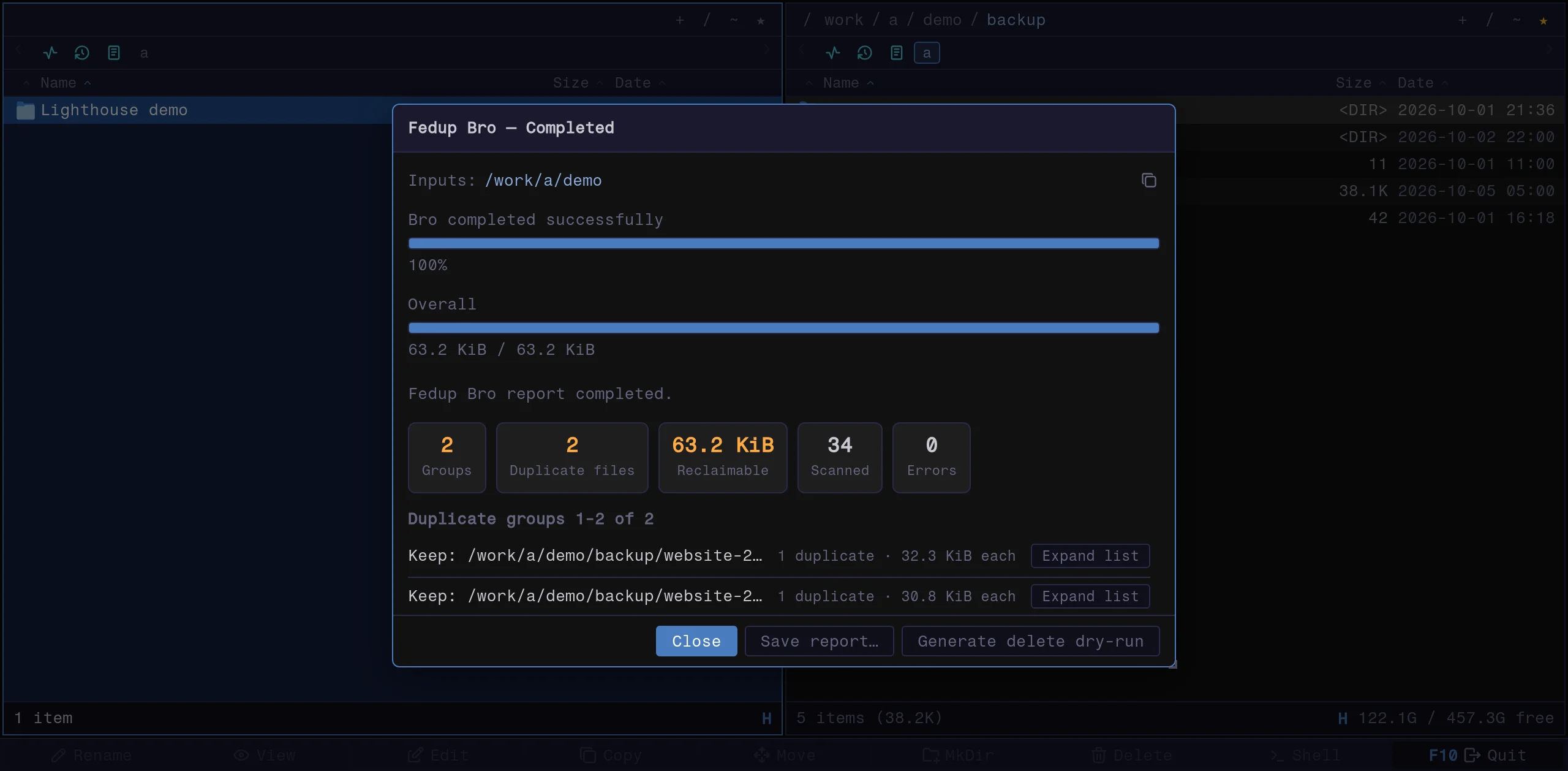
Save a report or clean up
Section titled “Save a report or clean up”Fedup never deletes anything itself. From the results you can:
- Save report… writes
fbro-fedup-report.txtin the first scanned folder. - Generate delete dry-run writes two files next to the report:
fbro-fedup-delete-manifest.txt, a readable list of every group, keeper and duplicate;fbro-fedup-delete-dry-run.sh, a script that removes the duplicates and never the keepers.
Run the script without arguments to print what it would delete. Only
./fbro-fedup-delete-dry-run.sh --apply actually deletes. Read the manifest
first.